Strategy Watch
Strategy Watch re-checks the assumptions in a full report and alerts you only when the evidence turns.
Strategy Watch tracks the testable assumptions in each full report and re-checks public evidence on the 1st and 15th of the month. It is the subscription, not the $199 one-shot. The sample report includes a scripted Watch drawer so you can see the pill and timeline without a subscription.
You get an email if a tracked assumption turns status. On the 1st you also get a digest even if nothing changed. Turn those emails off in Settings → Account. Receipts and report-ready notices are separate.
In this article we will cover how Watch looks in the action bar, what a quiet month means, and rechecks.
How It Looks
On a monitored report, a shield control sits in the action bar:
- Teal, quiet: assumptions are holding
- Gold, alert: something is contested or broken. Open the drawer.
- Locked: your organization is not on Strategy Watch

The drawer lists each tracked assumption, the last check, and an evidence timeline. You can discuss it in War Room, mark a check incorrect, or retire an assumption you no longer want watched.
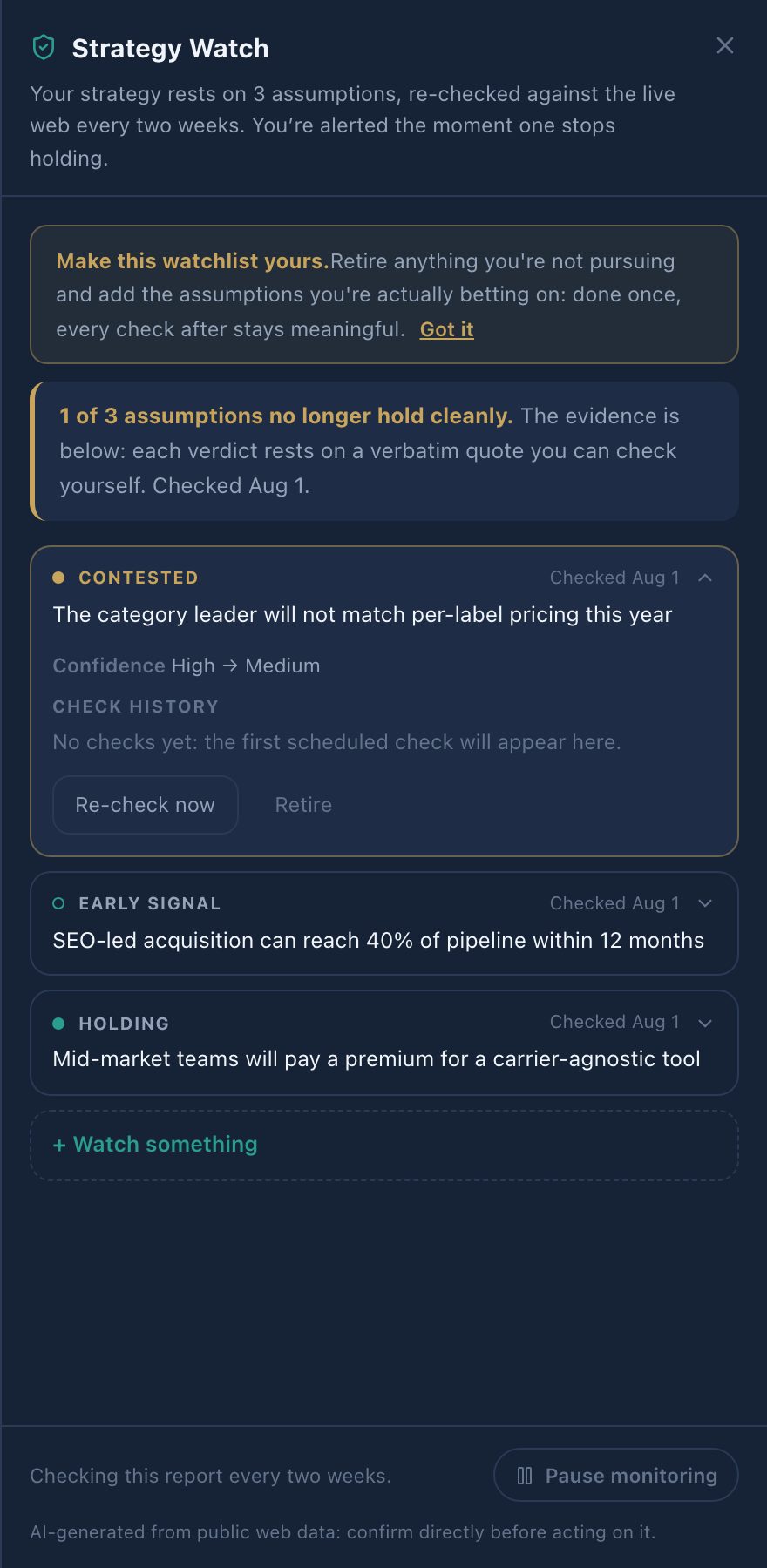
You can pause Watch on a single report if you want attention on other briefs.
A Quiet Month
No alert means nothing material turned in the sources we re-check. It is not a warranty that nothing changed, and it is not proof that the strategy holds.
Rechecks
If you need an on-demand pass on a single-report purchase, a one-shot re-check product may be offered for that report. Recheck credits are not extra generation credits.
May We Suggest
We suggest the following help articles.