How to Generate a Report
From New Report, paste a URL, choose free report or full brief, and watch progress.
All generation starts from New Report or the URL field on the homepage.
In this article we will walk through choosing the right path and generating the brief.
Before We Begin
- Free report: available once per account, if you have not used it yet.
- Full report: spends one credit, or takes you to checkout for $199 if you have none.
- Unlock this free report: if you already have a completed free report, unlock it instead of starting a second free run.
If you have already used the free report, New Report will not offer another one. Buy or spend a credit for a new full brief, or unlock the free report you already have.
Generate the Report
Here's how:
- Open New Report.
- Paste a public website URL.
- (Optional) Add company data and extra URLs (app, docs, help center; up to five).
- Confirm consent. Then, generate.
- Stay on the progress screen, or leave. We will email you when it is ready.
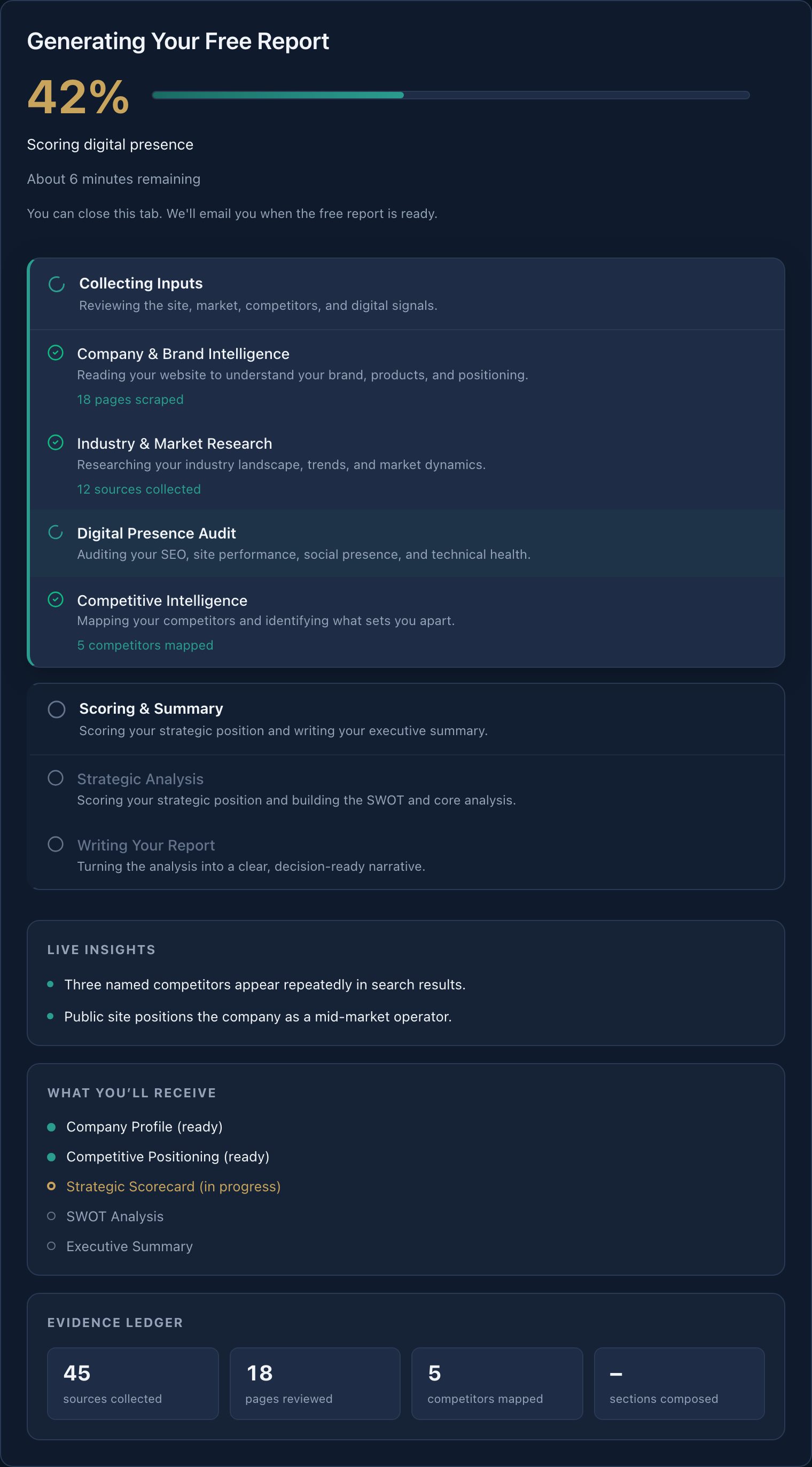
You can open an in-progress report from the dashboard list. Do not start a duplicate for the same URL. We dedupe accidental double-submits within a few minutes.
The report is generating. When it completes, it opens in the viewer (light theme) with a table of contents. Full reports include PDF, Markdown, sharing, and War Room. Free reports show locked teasers for the remaining sections.
May We Suggest
We suggest the following help articles.